
Mabox 26.04, the April refresh of the ISO images, brings a substantial number of fixes in many areas, such as:
- rewritten main menu and side panels
- improvements to the tint2 panel configurations
- a changed default Conky widget
Simplified profile
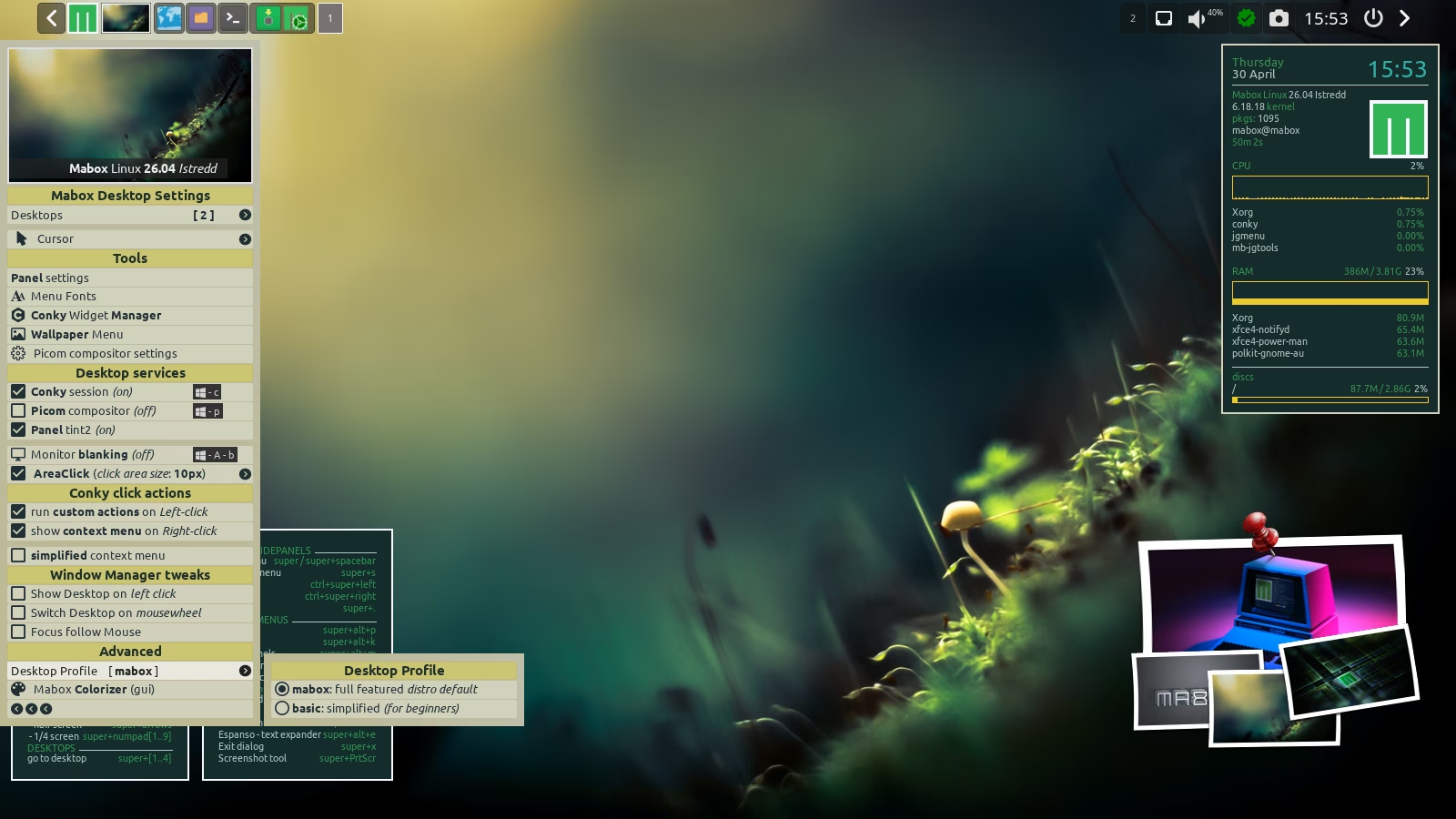
Mabox now offers the ability to quickly switch to a simplified desktop profile. This can be useful, for example, when you’re installing Mabox for a family member who isn’t necessarily a Linux enthusiast or seasoned power user.
The simplified profile offers a streamlined panel and removes some Mabox features that could surprise or overwhelm beginners, such as:
- context menus and Conky widget actions
- clickable screen corners and edges
Side panels improvements
An attempt to tidy up and simplify the main menu and side panels… try it yourself and see whether these changes appeal to you.
Default Conky sysinfo
The new, default Conky has been equipped with a battery usage indicator and a color‑customizable logo.
Panel configurations updated
The tint2 panel configurations provided by Mabox have been updated to make use of new tools such as the Status/Update Icon and the wallpaper thumbnail with its associated menu.
Autotheming …
Autotheming is enabled in the live session… try it by clicking the thumbnail in the panel:
left‑click — random wallpaper, right‑click — more options.
Notice that the Mabox logo also changes its color scheme — both the one in the panel and the one in the Conky widget.
User Guide 2026 update
The Mabox User Guide has finally received an update.Check Introduction to Mabox Linux Desktop
Are you just starting out with Mabox?
Please read Introduction to Mabox Linux Desktop.
Support Mabox
If Mabox is useful to you, please consider supporting its development. Alternatively, you can support the development of our amazing base distro: Manjaro.
Download
ISO images can be downloaded from SourceForge mirrors and fromrepo.maboxlinux.org/iso.
Two ISO images are available: with the latest LTS 6.18 kernel and slightly older 6.6.
When starting an ISO image, you can choose whether you want to use open source or proprietary drivers.
Have fun with Mabox 🙂